Friday, 15 June 2012

Google Sites Indulgence


For examples, ideas, inspiration or pure google sites indulgence here is a google sites directory.

Together we can make this the biggest google sites directory.

Add yours today.

Just fill out the form.

Please note that this directory is not affiliated with google and is not responsible for the content in any of the sites listed in the directory. If you are the owner of a site on the directory and you would like it to be removed please email office@webprincess.co.uk requesting to remove the site.


What Do You Want To See Here ....

So guys, what feature would you most like for your website? Let me know nd if there are any fetures I can post on I will, all down to you! I look forward to hearing from you my little google sites monsters x

Wednesday, 11 April 2012

Spring cleaning!

Well quite often people have problems editing their site, my first advice is always clear your cookies, history and cache. So I thought it would be helpful to collate together here all of the OS (Operating System) instructions. So hit the link and get spring cleaning!

Firefox
Internet Explorer
Chrome
Safari

B x

Add Google +1 Sidebar Button


Howdy peeps, long time no speak!

Ok so this how you add a +1 to your side bar ....

Navigate to your google site in edit mode > click on more > click on manage site > click on site layout > look for the sidebar section > click on add side bar item > when the pop up box appears scroll down and select +1 button by clicking on the add button > the item box then shows under the sidebar menu, you can click and hold onto it and move it up or down depending on your preference > then remember then to click the save button at the top of your page!

For screen shots and  more info click here.

Any probs let me know ....

Beckystar x

Thursday, 8 March 2012

New Feature Alert! Upload multiple files

One you have all been waiting for ...

Now google sites allows you to upload multiple files and this is how you do it!

Navigate to your google site > navigate to the page where you want to upload the multiple files > do not press edit, just click on the add files button near the bottom of the page ....


Then hold down ctrl and click on all the files you would like to upload ....


Then release the ctrl key > click on "open" ....

And then you are done!

This is the result ....


Enjoy! B x


New Feature Alert! HTML Box Gadget

Howdy peeps,

Good news! You can now insert html using google sites new HTML, CSS, Java Script gadget.

Please bear in mind however that some scripts will not work, as I discovered this morning when I unsuccessfully added a twitter gadget (which is mainly js).... this apparently due to the code being tidied up by google's sweeping brush, however lets hope in time more complex code will be allowed ....

Even with this little hold back the tool is certainly handy and this is how you use it ....

Navigate to your chosen page > click on edit > where you would the html box to be > click on insert > select the html gadget from the list > add your chosen html and save

Screenshot of html gadget box containing code


Here is the result ...

Enjoy! B x

Sunday, 26 February 2012

Change your contents background colour

Hello,

Google Sites does not offer customisation to the content colour background of individual pages on your site, so, here is a quirky work around for you...

Go to your chosen page, ready for it's makeover! Click in the content area > Click on edit > html > copy and paste the code below into the html, make sure it's the very first line > remember to save your changes!

<div style="background-color:#C0C0C0; padding:3px;">

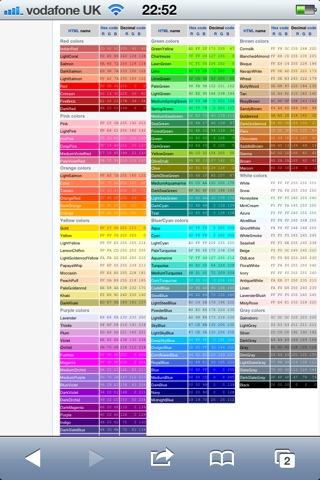
For a range of colours look at the wicked wiki link below ... be sure to use the hex codes ... Simply replace my chosen colour's digits C0C0C0 with your six digit hex code, make sure you leave the # and the rest of the code in tact.


Please do comment in here a link to the pages you have made over with this trick! I look forward to seeing them!

Enjoy x

New Feature Alert! Feedback on tap!

Hey,

Please find here a way to report your issues.... straight to google! It's like a direct call through the bat phone. Don't expect a response though, it's simply a data gathering tool.

So if a lot of sites users are having the same issue it gets escalated to the sites techy team quicker, faster fixes, less stressed users!

Ok, so navigate to More > Report An Issue.

Fill out the form and submit! ...and you're done.

Enjoy x